
Traffic Mix
Split one total load profile across weighted scenario lanes when a workload needs a controlled business-path mix such as 60% checkout, 30% search, and 10% account lookup. Available on Pro and Enterprise plans.
Matching docs
Search across docs titles, summaries, groups, and section headings.
Use Up and Down Arrow to move through results, then press Enter to open the active page.
No indexed docs matched that search. Try a broader term or open the docs hub.
What this page helps you do
What this page helps you do
Split one total load profile across weighted scenario lanes when a workload needs a controlled business-path mix such as 60% checkout, 30% search, and 10% account lookup. Available on Pro and Enterprise plans.
Who this is for
Engineers writing or reviewing scenario code in one of the supported SDKs.
Prerequisites
- A scenario or runtime surface you want to wire correctly in code
By the end
The exact SDK surface you need for this part of the runtime.
Use this page when
Use this reference when you already know the workflow and need the exact Traffic Mix API surface in code.
Visual guide
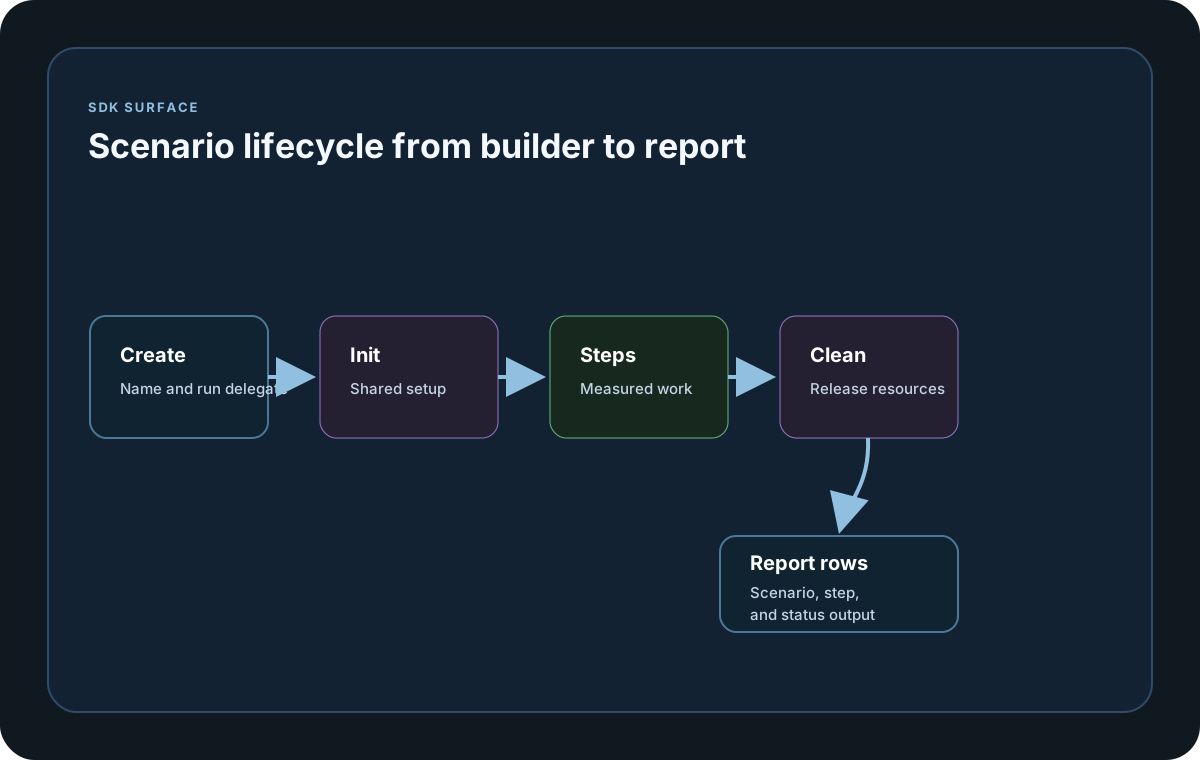
Guide
What It Does
LoadStrikeTrafficMix lets you define one total load profile and distribute that profile across multiple scenarios using LoadStrikeScenarioShare weights. A 1000 requests-per-second profile with weights 60, 30, and 10 sends roughly 600 requests per second to the first scenario, 300 to the second, and 100 to the third.
Use Scenarios, Not Steps
Use traffic mix lanes when different business paths should receive different shares of the total workload. Keep steps for measuring parts of one scenario. Steps inside a scenario run as part of that scenario flow; they are not independent traffic destinations.
How It Runs
Register the mix with RegisterTrafficMix or add it to a runner with AddTrafficMix. LoadStrike expands the weighted lanes into normal scenarios before execution, so thresholds, reports, customer portal reporting, and reporting sinks continue to use the standard scenario model.
Rounding Rules
Weights are ratios, not percentages that must add to 100. For integer load values, LoadStrike uses deterministic largest-remainder splitting so the lane totals add back up to the original total load.
When To Use It
Use a traffic mix when product or production data says one shared workload should be split by journey, endpoint family, tenant type, region, or customer action. Use separate WithLoadSimulations calls when each scenario already has its own independent load profile.
Plan Gate
Traffic Mix workload distribution is available on Pro and above. Runs still validate all other features used by each lane, such as transports, reporting sinks, thresholds, portal reporting, or cluster settings.
SDK reference samples
Use these samples to split one total load profile across separate scenario lanes. The same run still reports normal scenario and step metrics for each lane.
If you run these examples locally, add a valid runner key before execution starts. Set it with WithRunnerKey("...") or the config key LoadStrike:RunnerKey.
Traffic Mix
using LoadStrike;

var checkoutScenario = LoadStrikeScenario.Create("checkout", _ => Task.FromResult(LoadStrikeResponse.Ok()));
var searchScenario = LoadStrikeScenario.Create("search", _ => Task.FromResult(LoadStrikeResponse.Ok()));
var accountScenario = LoadStrikeScenario.Create("account-lookup", _ => Task.FromResult(LoadStrikeResponse.Ok()));

var trafficMix = LoadStrikeTrafficMix.Create("commerce-traffic-mix")
    .WithTotalLoad(
        LoadStrikeSimulation.Inject(1000, TimeSpan.FromSeconds(1), TimeSpan.FromMinutes(1))
    )
    .WithScenarioMix(
        LoadStrikeScenarioShare.Create(checkoutScenario, 60),
        LoadStrikeScenarioShare.Create(searchScenario, 30),
        LoadStrikeScenarioShare.Create(accountScenario, 10)
    );

LoadStrikeRunner.RegisterTrafficMix(trafficMix)
    .WithRunnerKey("rkl_your_local_runner_key")
    .Run();
package main
import loadstrike "loadstrike.com/sdk/go"
func okScenario(name string) loadstrike.LoadStrikeScenario {
return loadstrike.CreateScenario(name, func(loadstrike.LoadStrikeScenarioContext) loadstrike.LoadStrikeReply {
return loadstrike.LoadStrikeResponse.Ok("200")
})
}
func main() {
trafficMix := loadstrike.LoadStrikeTrafficMix.Create("commerce-traffic-mix").
WithTotalLoad(
loadstrike.LoadStrikeSimulation.Inject(
1000,
loadstrike.DurationFromSeconds(1),
loadstrike.DurationFromSeconds(60),
),
).
WithScenarioMix(
loadstrike.LoadStrikeScenarioShare.Create(okScenario("checkout"), 60),
loadstrike.LoadStrikeScenarioShare.Create(okScenario("search"), 30),
loadstrike.LoadStrikeScenarioShare.Create(okScenario("account-lookup"), 10),
)
loadstrike.RegisterTrafficMix(trafficMix).
WithRunnerKey("rkl_your_local_runner_key").
Run()
}import com.loadstrike.runtime.LoadStrikeRuntime.LoadStrikeResponse;
import com.loadstrike.runtime.LoadStrikeRuntime.LoadStrikeRunner;
import com.loadstrike.runtime.LoadStrikeRuntime.LoadStrikeScenario;
import com.loadstrike.runtime.LoadStrikeRuntime.LoadStrikeScenarioShare;
import com.loadstrike.runtime.LoadStrikeRuntime.LoadStrikeSimulation;
import com.loadstrike.runtime.LoadStrikeRuntime.LoadStrikeTrafficMix;
var checkoutScenario = LoadStrikeScenario.create("checkout", context -> LoadStrikeResponse.ok("200"));
var searchScenario = LoadStrikeScenario.create("search", context -> LoadStrikeResponse.ok("200"));
var accountScenario = LoadStrikeScenario.create("account-lookup", context -> LoadStrikeResponse.ok("200"));
var trafficMix = LoadStrikeTrafficMix.create("commerce-traffic-mix")
.withTotalLoad(LoadStrikeSimulation.inject(1000, 1d, 60d))
.withScenarioMix(
LoadStrikeScenarioShare.create(checkoutScenario, 60),
LoadStrikeScenarioShare.create(searchScenario, 30),
LoadStrikeScenarioShare.create(accountScenario, 10)
);
LoadStrikeRunner
.registerTrafficMix(trafficMix)
.withRunnerKey("rkl_your_local_runner_key")
.run();from loadstrike_sdk import (
LoadStrikeResponse,
LoadStrikeRunner,
LoadStrikeScenario,
LoadStrikeScenarioShare,
LoadStrikeSimulation,
LoadStrikeTrafficMix,
)
checkout_scenario = LoadStrikeScenario.create("checkout", lambda context: LoadStrikeResponse.ok("200"))
search_scenario = LoadStrikeScenario.create("search", lambda context: LoadStrikeResponse.ok("200"))
account_scenario = LoadStrikeScenario.create("account-lookup", lambda context: LoadStrikeResponse.ok("200"))
traffic_mix = (
LoadStrikeTrafficMix.create("commerce-traffic-mix")
.with_total_load(LoadStrikeSimulation.inject(1000, 1, 60))
.with_scenario_mix(
LoadStrikeScenarioShare.create(checkout_scenario, 60),
LoadStrikeScenarioShare.create(search_scenario, 30),
LoadStrikeScenarioShare.create(account_scenario, 10),
)
)
LoadStrikeRunner.register_traffic_mix(traffic_mix) \
.with_runner_key("rkl_your_local_runner_key") \
.run()import {
LoadStrikeResponse,
LoadStrikeRunner,
LoadStrikeScenario,
LoadStrikeScenarioShare,
LoadStrikeSimulation,
LoadStrikeTrafficMix
} from "@loadstrike/loadstrike-sdk";
const checkoutScenario = LoadStrikeScenario.create("checkout", () =>
LoadStrikeResponse.ok("200")
);
const searchScenario = LoadStrikeScenario.create("search", () =>
LoadStrikeResponse.ok("200")
);
const accountScenario = LoadStrikeScenario.create("account-lookup", () =>
LoadStrikeResponse.ok("200")
);
const trafficMix = LoadStrikeTrafficMix.create("commerce-traffic-mix")
.withTotalLoad(LoadStrikeSimulation.inject(1000, 1, 60))
.withScenarioMix(
LoadStrikeScenarioShare.create(checkoutScenario, 60),
LoadStrikeScenarioShare.create(searchScenario, 30),
LoadStrikeScenarioShare.create(accountScenario, 10)
);
await LoadStrikeRunner
.registerTrafficMix(trafficMix)
.withRunnerKey("rkl_your_local_runner_key")
.run();const {
LoadStrikeResponse,
LoadStrikeRunner,
LoadStrikeScenario,
LoadStrikeScenarioShare,
LoadStrikeSimulation,
LoadStrikeTrafficMix
} = require("@loadstrike/loadstrike-sdk");
(async () => {
const checkoutScenario = LoadStrikeScenario.create("checkout", () =>
LoadStrikeResponse.ok("200")
);
const searchScenario = LoadStrikeScenario.create("search", () =>
LoadStrikeResponse.ok("200")
);
const accountScenario = LoadStrikeScenario.create("account-lookup", () =>
LoadStrikeResponse.ok("200")
);
const trafficMix = LoadStrikeTrafficMix.create("commerce-traffic-mix")
.withTotalLoad(LoadStrikeSimulation.inject(1000, 1, 60))
.withScenarioMix(
LoadStrikeScenarioShare.create(checkoutScenario, 60),
LoadStrikeScenarioShare.create(searchScenario, 30),
LoadStrikeScenarioShare.create(accountScenario, 10)
);
await LoadStrikeRunner
.registerTrafficMix(trafficMix)
.withRunnerKey("rkl_your_local_runner_key")
.run();
})();Traffic Mix Parts
Define the full workload once, such as 1000 requests per second for one minute.
Create one scenario per independently weighted business path, endpoint family, or journey.
Assign ratio weights such as 60, 30, and 10. They do not need to add to 100, but using percentages is often easiest to read.
Register the traffic mix when the shared total load owns the lane distribution.
Each lane appears as a normal scenario in local reports, portal reporting, thresholds, and reporting sinks.
Do not use steps to split traffic. Steps measure operations inside one scenario flow; traffic mix lanes are separate scenarios that receive weighted shares of the shared total load.