
Installation
Install the LoadStrike package for your language and add it to the test project you already use. This page is the starting point before you write a scenario.
Matching docs
Search across docs titles, summaries, groups, and section headings.
Use Up and Down Arrow to move through results, then press Enter to open the active page.
No indexed docs matched that search. Try a broader term or open the docs hub.
What this page helps you do
What this page helps you do
Install the right LoadStrike package for your SDK and confirm the supported runtime before you write a scenario.
Who this is for
Engineers setting up a first local evaluation or adding LoadStrike to an existing test project.
Prerequisites
- A supported runtime for your chosen SDK
- An existing project or repo where the test will live
By the end
Your package installed, your runtime confirmed, and the next step ready.
Choose this path when
Use installation first when you need the exact package name, runtime version, and the shortest path into a runnable scenario.
Visual guide
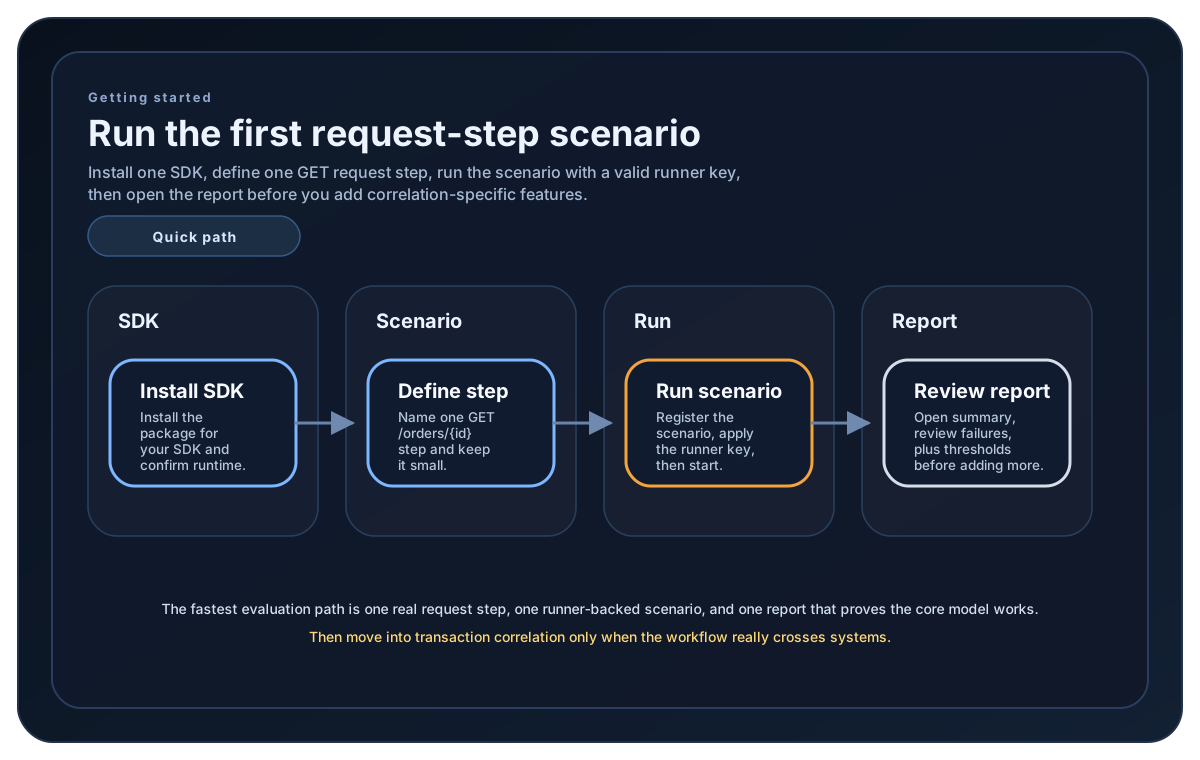
Guide
Choose The Package
Start with the package that matches your language and toolchain: NuGet `LoadStrike`, Go module `loadstrike.com/sdk/go`, Maven `com.loadstrike:loadstrike`, npm `@loadstrike/loadstrike-sdk`, or PyPI `LoadStrike`. The website serves the Go vanity-import metadata behind `loadstrike.com/sdk/go`, so `go get` and pkg.go.dev resolve to the public Go SDK repository.
Check Runtime Support
Make sure the host matches the supported runtime for that SDK. LoadStrike currently supports C#, Go, Java, Python, TypeScript, and JavaScript. Runtime floors are C# on .NET 8+, Go 1.26.5+, Java 17+, Python 3.9.2+, and TypeScript or JavaScript on Node.js 20+. Python 3.9.0 and 3.9.1 users must update to a maintained 3.9 patch before installing the current secure dependency line.
Python Optional Extras
The base PyPI package covers the core SDK. Install `loadstrike[kafka]`, `loadstrike[rabbitmq]`, `loadstrike[nats]`, `loadstrike[redis]`, `loadstrike[eventhubs]`, `loadstrike[sqs]`, or `loadstrike[websocket]` for the matching native client. `loadstrike[all-transports]` installs all six broker clients plus native WebSocket support. Prometheus Remote Write and CloudWatch need `loadstrike[reporting]`; that reporting extra is separate, so projects that need everything can install `loadstrike[all-transports,reporting]`.
Go Compatibility And Validation
Install `loadstrike.com/sdk/go` with Go 1.26.5 or later, import that same public module path, provide a valid runner key, and run the workload from Go code. Normal license validation remains required. If required support is unavailable or incompatible, `Run()` fails before scenario callbacks or workload traffic starts.
Go v0.2.0 Migration
Before using Go SDK v0.2.0, install Go 1.26.5 or later and run `go get loadstrike.com/sdk/[email protected]` before executing workloads. This guidance prepares the migration and does not announce that v0.2.0 has already been published.
Go v0.1.x Support Window
After v0.2.0 is published, the last v0.1.x line remains on security-only support for at least 90 days. The v0.2.0 protocol and capability changes will not be backported to v0.1.x. The retained v0.1.30401 release already requires Go 1.26.5 or later, and release notes will state the exact deprecation window before v0.2.0 is promoted.
After Installation
Once the package is installed, import the LoadStrike types for scenarios, steps, simulations, and runner setup in your language. In Go, that means importing `loadstrike "loadstrike.com/sdk/go"` from the public vanity module path and configuring a valid runner key before execution starts.
Getting started samples
Use these install snippets to verify the exact package names, Go module path, and import surfaces before you start the first scenario in your SDK.
Go users install module loadstrike.com/sdk/go and import it as loadstrike "loadstrike.com/sdk/go". The website serves the vanity-import metadata for that public module path, so go get and pkg.go.dev resolve the GitHub repository automatically. After installation, configure a valid runner key and run the workload from Go code. If the installed SDK cannot prepare a compatible execution environment, it fails before test traffic starts.
If you run these examples locally, add a valid runner key before execution starts. Set it with WithRunnerKey("...") or the config key LoadStrike:RunnerKey.
Install
dotnet add package LoadStrikeModule path: loadstrike.com/sdk/go. Go 1.26.5 or later is required. The website serves the vanity-import metadata for this public path, so `go get` and pkg.go.dev resolve the GitHub repository automatically. Normal license validation remains required; unavailable or incompatible support fails before scenario callbacks or workload traffic starts. For v0.2.0, update with `go get loadstrike.com/sdk/[email protected]`; after publication, the last v0.1.x line remains on security-only support for at least 90 days.
go get loadstrike.com/sdk/go

import loadstrike "loadstrike.com/sdk/go"
Use the published Maven Central artifact.
<dependency>
  <groupId>com.loadstrike</groupId>
  <artifactId>loadstrike</artifactId>
  <version>latest</version>
</dependency>

import com.loadstrike.runtime.LoadStrikeRuntime.LoadStrikeRunner;
The base install contains the core SDK. Add one of `kafka`, `rabbitmq`, `nats`, `redis`, `eventhubs`, `sqs`, or `websocket` for that native client. `all-transports` installs all six broker clients plus WebSocket, while Prometheus Remote Write and CloudWatch need the separate `reporting` extra. Use `pip install "loadstrike[all-transports,reporting]"` when both sets are required.
pip install LoadStrike
pip install "loadstrike[kafka]"
pip install "loadstrike[rabbitmq]"
pip install "loadstrike[nats]"
pip install "loadstrike[redis]"
pip install "loadstrike[eventhubs]"
pip install "loadstrike[sqs]"
pip install "loadstrike[websocket]"
pip install "loadstrike[reporting]"
pip install "loadstrike[all-transports]"

from loadstrike_sdk import LoadStrikeRunner
npm install @loadstrike/loadstrike-sdk
import { LoadStrikeRunner } from "@loadstrike/loadstrike-sdk";npm install @loadstrike/loadstrike-sdk
const { LoadStrikeRunner } = require("@loadstrike/loadstrike-sdk");Supported Packages
Use package `LoadStrike` when you are writing tests in C# on .NET.
Use package `com.loadstrike:loadstrike` when you are writing tests in Java.
Use package `@loadstrike/loadstrike-sdk` when you are writing tests in TypeScript or JavaScript.
Use module `loadstrike.com/sdk/go` with Go 1.26.5 or later. The website serves the vanity-import metadata for that path so the Go toolchain and pkg.go.dev resolve the public repository automatically.
Use Go 1.26.5 or later, configure a valid runner key, and run workloads directly from Go. Normal license validation remains required. If required support is unavailable or incompatible, `Run()` fails before scenario callbacks or workload traffic starts.
Before using v0.2.0, install Go 1.26.5 or later and run `go get loadstrike.com/sdk/[email protected]`. This is advance migration guidance, not a notice that v0.2.0 is already published.
After v0.2.0 is published, the last v0.1.x line remains on security-only support for at least 90 days. The v0.2.0 protocol and capability changes are not backported. The retained v0.1.30401 release already requires Go 1.26.5 or later, and release notes will announce the exact deprecation window before promotion.
Use package `LoadStrike` when you are writing tests in Python. The base install contains the core SDK.
Install kafka, rabbitmq, nats, redis, eventhubs, sqs, or websocket for that native client. `all-transports` installs those six broker clients plus WebSocket. Prometheus Remote Write and CloudWatch need the separate `reporting` extra, so use `loadstrike[all-transports,reporting]` when both sets are required.
After install, import the LoadStrike runtime types for scenarios, steps, simulations, and runner configuration in your language. In Go, use `loadstrike "loadstrike.com/sdk/go"`.
using LoadStrike;