
Frequently Asked Questions
Get answers to common questions about LoadStrike scenarios, supported languages, runner keys, reports, clustering, browser journeys, and event-stream correlation.
Support and evaluation guidance
Find quick answers for licensing, transports, reports, browser journeys, and rollout.
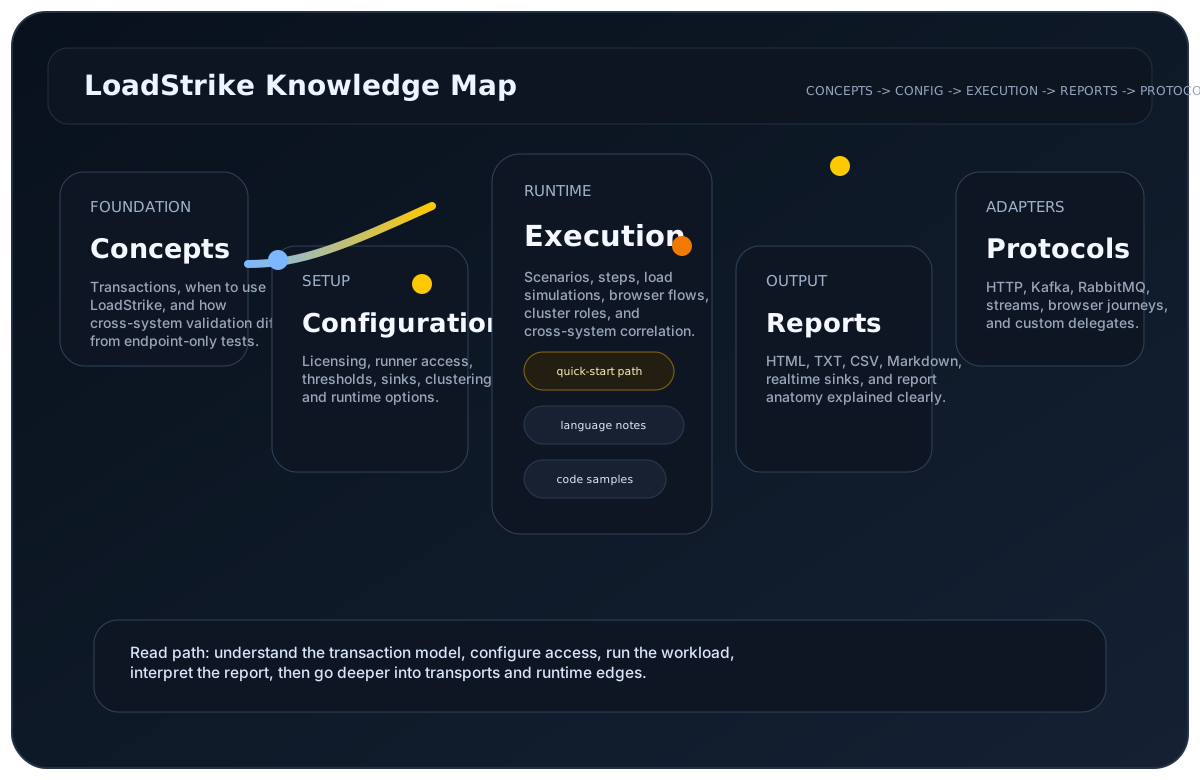
Answers by topic
Pick a topic or search for a feature.
Tool selection
What is the best load testing tool for a developer team?
The best load testing tool for a developer team is the one that fits the codebase, the workload, and the report evidence the team needs. LoadStrike is a strong fit when engineers want self-hosted, code-first load tests in C#, Go, Java, Python, TypeScript, and JavaScript and need to test APIs, browser journeys, event streams, or full transactions.
What is a performance testing tool?
A performance testing tool helps teams measure speed, stability, failure rate, throughput, and latency under realistic demand. LoadStrike is a performance testing tool for teams that want those checks to run from code and produce reports that explain both request behavior and wider workflow behavior.
How should I choose load testing software?
Choose load testing software by checking language fit, supported protocols, report quality, deployment model, pricing clarity, and whether the tool can explain the full workflow you care about. LoadStrike is designed for self-hosted teams that want code-first tests, local reports, and transaction-aware workflows.
How should teams compare k6 and LoadStrike?
Compare k6 and LoadStrike by workload shape. k6 is widely used for developer-friendly HTTP and performance scripting. LoadStrike should be evaluated when the team needs self-hosted, multi-language, transaction-aware tests that can connect APIs, browser journeys, event streams, downstream completion, and reports.
Licensing and access
Do I need a runner key to run LoadStrike?
Yes. LoadStrike requires a valid runner key for licensed execution. The active runner key also decides which transports, clustering options, reporting sinks, and extensions are available for the run.
How should I choose between plans?
Choose based on the transports, reporting surfaces, distributed execution needs, and extension points required by the workload. Free is included automatically, Pro is the self-serve paid plan, and Enterprise can be tailored for larger rollout and procurement needs.
What happens if a license expires during a run?
The current run is allowed to finish, but the next run is blocked until the license is valid again.
What license validity dates are accepted?
The license validity start must be before its end. Invalid date ranges are rejected without changing the existing license.
Transactions and transports
What is the difference between load testing and performance testing?
Load testing applies demand to a system. Performance testing interprets whether the system stayed fast, reliable, and correct under that demand. LoadStrike supports both because a scenario can define the load shape, thresholds, failures, latency, bytes, and report evidence in one run.
Which tool is best for API load testing?
For simple HTTP-only checks, several tools can work well. LoadStrike is a better API load testing fit when the API starts a workflow that continues through queues, streams, browser-visible state, or downstream services and the report needs to show where the full path passed, slowed down, or failed.
Does LoadStrike support browser load testing?
Yes. LoadStrike supports browser workflow testing with Playwright and Selenium where supported by the selected SDK and plan. This helps teams validate user-visible journeys alongside API and backend behavior.
Can LoadStrike test Kafka and event-driven systems?
Yes. LoadStrike supports Kafka and other event-driven transports so teams can test workflows where an API, message, stream, or service handoff needs downstream completion evidence, not only first-hop latency.
Is LoadStrike self-hosted?
Yes. LoadStrike is self-hosted. Teams run tests from their own environment and can keep execution close to the systems being tested, while using the plan features available to their license.
Does LoadStrike support multiple programming languages?
Yes. LoadStrike supports C#, Go, Java, Python, TypeScript, and JavaScript. Teams can write load and performance tests in the language they already use instead of adopting a separate product-only scripting language.
Can I run source-only API traffic?
Yes. In GenerateAndCorrelate mode, destination can be omitted and the source result drives pass or fail reporting.
Can LoadStrike correlate traffic that is already flowing through my systems?
Yes. CorrelateExistingTraffic mode supports consume-to-consume correlation for existing traffic instead of generating a new source message. Use ForDuration to choose how long LoadStrike observes the flow, and pass the optional cancellation parameter when your application needs to stop the observation early.
Which transports are currently supported?
LoadStrike supports HTTP, Kafka, RabbitMQ, AWS SQS, Azure Event Hubs, NATS, Redis Streams, Push Diffusion, delegate-based custom streams, delegate-backed gRPC Produce and Consume, and native or delegate-backed WebSocket Produce and Consume in C#, Java, Python, TypeScript, JavaScript, and Go. Python native WebSocket use requires the websocket extra. Native gRPC is not available.
Can I extract the tracking id from headers or the message body?
Yes. TrackingField supports header selectors and JSON selectors. The selector prefix is case-insensitive, but the header name or JSON path segments after the prefix are exact-case. When the tracking id is in the body, you can also supply MessagePayloadType and serializer settings to parse it correctly.
Does timeout count as failure?
Yes when TimeoutCountsAsFailure is true. The default correlation timeout is 30 seconds.
Can I use Redis with LoadStrike?
Yes. Redis can be used as a correlation store option, and Redis Streams is also supported as a transport endpoint.
Does LoadStrike support Kafka authentication and SASL variants?
Yes. Kafka endpoint configuration supports common SASL mechanisms, security protocol settings, and other client connection options needed by the underlying client library.
How does LoadStrike reduce automated portal signup and contact spam?
The customer portal signup form and public contact form can require Cloudflare Turnstile verification. During account creation, verification normally runs in the background and a challenge appears only if Cloudflare requires interaction. Verification must finish successfully before the form can be submitted. If it cannot load, refresh the page and try again.
What are the account registration requirements?
Use your email address and a password of at least 8 characters, and enter the same password in Confirm Password. Uppercase letters, numbers, and symbols are optional. Complete the account verification check before submitting. If signup fails, complete a fresh verification check and submit the form again. If an activation code has already arrived, continue with that code. After activation, sign in with your email and password.
Where should I look for account and renewal emails?
The default sender for LoadStrike activation codes, password-reset codes, and renewal reminders is no-reply@loadstrike.com. Check your inbox and spam folder. Activation and password-reset codes expire after 10 minutes; enter them only in the LoadStrike customer portal.
What happens if an activation or password-reset email is interrupted?
An existing usable activation or password-reset code remains valid if a replacement cannot be confirmed. If initial delivery fails, a safe resend remains available without disclosing whether an account exists and without creating a false cooldown. If an interrupted message still arrives, its code remains usable until the displayed expiry, and LoadStrike does not automatically send a duplicate. Another message becomes available safely after the delivery is resolved or the code expires. After entering the activation code, sign in with the email and password you chose during registration.
What happens after I submit a customer portal action?
After a successful customer portal action, you can safely refresh the result page without repeating the submission. If an update fails, correct the displayed problem and retry.
Can I refresh after sending the contact form?
After the contact form succeeds, you can safely refresh the confirmation page without sending the message again. If the form reports a problem, correct it and submit again.
What should I do if the customer portal is temporarily unavailable?
If the customer portal is temporarily unavailable, wait a moment and try again. Keep retries bounded and contact support if the problem continues. If a temporary service error prevents the portal from checking your account, your sign-in is preserved and account actions stay hidden until you retry successfully. An expired or rejected sign-in still requires login.
What if a portal or contact submission cannot be confirmed?
An invalid service response is not shown as a successful submission. Keep the form open, wait a moment, and retry the same action; contact support if it still cannot be confirmed.
How long can an account email address be?
Account email fields accept up to 256 characters. Longer values are rejected before account or billing actions are processed.
Reports and observability
Can LoadStrike generate reports without Grafana?
Yes. LoadStrike can generate local HTML, CSV, TXT, and Markdown reports without requiring Grafana. Enterprise reporting and observability sinks are available when teams need shared reporting or export into existing platforms.
What is GatherByField used for?
GatherByField is configured on the destination endpoint and groups matched correlation results by a header or JSON field. Reports keep each scenario, destination, selector, and value distinct and retain every available P50, P75, P80, P85, P90, P95, P99, and Max point in responsive vector charts. Grouping is case-sensitive by default unless GatherByFieldValueCaseSensitive is set to false.
What reports does LoadStrike generate?
The runtime can generate HTML, CSV, TXT, and Markdown reports. Those formats keep the same LoadStrike layout, ordering, formatting, and displayed data across supported languages. The self-contained HTML report includes responsive SVG charts, scenario metrics, separate successful and failed latency, cumulative progress where available, status-code tables, failed rows, grouped and ungrouped correlation summaries, and plugin tabs.
Can LoadStrike publish run data to observability platforms?
Yes. Enterprise includes customer portal Run Reports plus supported sinks for Prometheus Remote Write, Amazon CloudWatch, Dynatrace, New Relic, InfluxDB, TimescaleDB, Grafana Loki, Datadog, Splunk HEC, OTEL Collector, Elasticsearch, OpenSearch, Kafka, StatsD, DogStatsD, Netdata-compatible StatsD, JSONL file streaming, and GenericWebhook. Java direct metric sinks require a ProtocolPublisher, and Python Prometheus or CloudWatch requires the reporting extra. GenericWebhook sends intentionally generic LoadStrike JSON.
Can I extend reporting or worker behavior?
Yes. Enterprise includes custom reporting sinks, custom worker plugins, and runtime policy hooks that can skip scenarios or run code before and after scenarios and steps. Plan limits such as agent counts and timeout ceilings are enforced separately at run start.
Browser and execution
Can I run LoadStrike in a cluster?
Yes. LoadStrike supports local coordinator and agent execution, and distributed clustering using NATS for coordinator-agent communication.
Can I run load against Playwright-based or Selenium-based UI flows?
Yes. LoadStrike can orchestrate Playwright-driven and Selenium-driven scenario execution so UI journeys can be exercised under controlled load and reported through the same runtime model.
When do teams choose LoadStrike over JMeter, k6, Gatling, Locust, or Artillery?
Teams usually evaluate LoadStrike when they need a self-hosted load testing tool that combines API load testing, browser-driven flows, and source-to-destination event correlation in one runtime and one report model.
Configuration and extension
Can I configure LoadStrike from code, JSON, and CLI arguments?
Yes. You can configure runs in code, load settings from JSON, and apply CLI overrides for one-off execution changes.
No FAQ items matched. Try a shorter search or open the docs.