
Licensing And Runtime Access
This page explains how runner keys control runtime access. Read it when you need to understand the runner-key requirements, licensing surface, and the runtime-access fields involved.
Matching docs
Search across docs titles, summaries, groups, and section headings.
Use Up and Down Arrow to move through results, then press Enter to open the active page.
No indexed docs matched that search. Try a broader term or open the docs hub.
What this page helps you do
What this page helps you do
Understand what the runner key controls, which runtime checks happen before execution, how local versus remote environments are classified, and which control-plane metadata is visible in the public contracts.
Who this is for
Teams preparing to run LoadStrike in local development, CI, or distributed environments.
Prerequisites
- A runner key for the plan you intend to use
- A rough idea of whether the workload is local-only or remote/distributed
By the end
A clear checklist for what must be valid before a run can start and what the public contracts show about licensing data handling.
Choose this path when
Use this page when you need to understand runner access, environment rules, why a run is allowed or blocked before execution, and which visible metadata the hosted control plane uses.
Visual guide
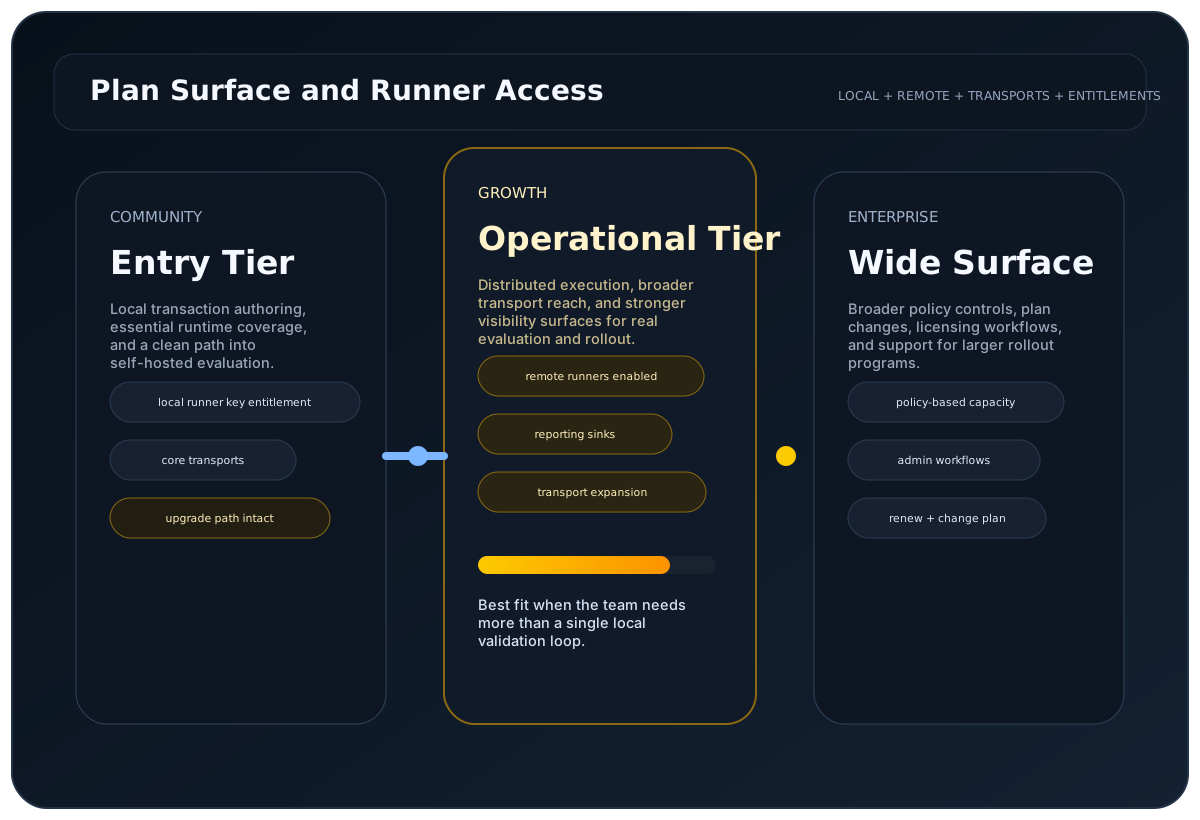
Guide
Runtime Requirement
LoadStrike requires a valid runner key for licensed execution. If no runner key is present, the run is blocked.
Online Validation
The SDK validates runtime access online. If that validation cannot complete, the run does not start.
Feature Availability
The active runner key decides which transports, clustering options, reporting sinks, and extensions are available for the run.
Config Surface
Set the runner key with WithRunnerKey(...) or the LoadStrike:RunnerKey config value. Host classification is automatic, so there is no RunnerEnvironment setting to keep in sync.
Environment Rules
LoadStrike classifies laptops, desktops, and mobile devices as local, and CI, Kubernetes, and server hosts as remote. Local runner keys are limited to automatically detected local devices, while remote runner keys can be used across local and non-local environments.
Runtime Checks
Before the run starts, LoadStrike also checks configured agents, targeted scenarios, reporting sinks, worker plugins, and timeout settings against the active runtime limits.
UTC Timestamp Handling
License validity windows, payment timestamps, account close timestamps, billing conversion timestamps, and runtime validation timestamps are shown and evaluated in UTC. Offset-aware timestamps are converted to UTC for consistent portal and runtime behavior.
Portal Billing Terms
Buying, renewing, or changing a paid plan in the customer portal requires acceptance of the current license, refund, and cancellation terms.
Plan Changes
Paid plan changes apply to the current subscription. If the change happens before the current billing period ends, the customer may see a prorated charge or credit for the remaining time.
Regional Pricing
Public pricing shows the appropriate regional currency when that complete plan price is available. Otherwise, the fallback currency is shown.
Validation Inputs
Runtime access uses the runner key together with run identity and execution-context details needed to enforce plan limits and runtime capabilities.
Go Public Wrapper Surface
The public Go module exposes the documented runner, context, config, targeting, reporting, and console helpers needed to run licensed workloads, including Create or NewRunner, BuildContext and ConfigureContext, LoadConfig and LoadInfraConfig, WithReportFolder, WithReportFileName, WithReportFormats, WithReportingInterval, WithTargetScenarios, WithDisplayConsoleMetrics, and WithLicenseValidationTimeout.
Account Access
The customer portal shows the licenses, runner keys, registered devices, and plan limits that affect runtime access.
Registered Device Limits
Device-limited plans control how many machines can be associated with local execution. If that allowance changes, revalidation may require the active device list to be refreshed.
Run Behavior On Expiry
Runner keys are validated at run start. If the underlying license expires while a run is active, the current run is allowed to finish and the next run is blocked until validation succeeds again.
Security Review Path
Use the Security and Data Handling page for the consolidated overview, and use the contact page when the review needs procurement or security follow-up.
Public Portal Responses
Anonymous portal flows such as signup, resend activation, and password reset now return neutral completion messages. The portal does not reveal whether an account exists, is already activated, or is currently eligible until the user proves account ownership.
Configuration samples
Use these examples to see where runner access and execution checks appear in code and configuration before the run starts.
If you run these examples locally, add a valid runner key before execution starts. Set it with WithRunnerKey("...") or the config key LoadStrike:RunnerKey.
Runtime License Validation
using LoadStrike;

var scenario = LoadStrikeScenario.Empty("licensed-orders")
    .WithLoadSimulations(LoadStrikeSimulation.KeepConstant(1, TimeSpan.FromSeconds(20)));

LoadStrikeRunner.RegisterScenarios(scenario)
    .WithRunnerKey("rkl_your_local_runner_key")
    .Run();
package main
import loadstrike "loadstrike.com/sdk/go"
func main() {
loadstrike.RegisterScenarios(loadstrike.Empty("licensed-run")).
WithRunnerKey("rkl_your_local_runner_key").
WithSessionId("session-001").
WithNodeType(loadstrike.NodeTypeCoordinator).
Run()
}import com.loadstrike.runtime.LoadStrikeRuntime.LoadStrikeRunner;
import com.loadstrike.runtime.LoadStrikeRuntime.LoadStrikeScenario;
import com.loadstrike.runtime.LoadStrikeRuntime.LoadStrikeSimulation;
var scenario = LoadStrikeScenario.empty("licensed-orders")
.withLoadSimulations(LoadStrikeSimulation.keepConstant(1, 20d));
LoadStrikeRunner.registerScenarios(scenario)
.withRunnerKey("rkl_your_local_runner_key")
.run();from loadstrike_sdk import (
LoadStrikeRunner,
LoadStrikeScenario,
LoadStrikeSimulation,
)
scenario = (
LoadStrikeScenario.empty("licensed-orders")
.with_load_simulations(LoadStrikeSimulation.keep_constant(1, 20))
)
LoadStrikeRunner.register_scenarios(scenario) \
.with_runner_key("rkl_your_local_runner_key") \
.run()import {
LoadStrikeRunner,
LoadStrikeScenario,
LoadStrikeSimulation
} from "@loadstrike/loadstrike-sdk";
const scenario = LoadStrikeScenario
.empty("licensed-orders")
.withLoadSimulations(LoadStrikeSimulation.keepConstant(1, 20));
await LoadStrikeRunner
.registerScenarios(scenario)
.withRunnerKey("rkl_your_local_runner_key")
.run();const {
LoadStrikeRunner,
LoadStrikeScenario,
LoadStrikeSimulation
} = require("@loadstrike/loadstrike-sdk");
(async () => {
const scenario = LoadStrikeScenario
.empty("licensed-orders")
.withLoadSimulations(LoadStrikeSimulation.keepConstant(1, 20));
await LoadStrikeRunner
.registerScenarios(scenario)
.withRunnerKey("rkl_your_local_runner_key")
.run();
})();Licensing fields and runtime access metadata
Required for runnable workloads. The run does not start when the runner key is missing or invalid.
Configuration alternative for the same runner key value.
Overrides the licensing-service call timeout for runner-key validation.
Optional metadata carried into reports and sink exports.
Validation uses runner key, requested features, session id, test suite, test name, node type, machine name, environment classification, and device hash.
The Go SDK runtime delivery flow uses runner key, SDK, version, operating system, and architecture.
The licensing platform stores customer and billing-linked license records, runner-device bindings, runner leases, and audit events used to enforce runtime access.
The runtime decides whether execution is local or remote based on the actual host context. There is no separate RunnerEnvironment setting to keep in sync.
The runner key can affect whether remote execution, sinks, plugins, clustering, devices, or timeout ceilings are available. Review the Security and Data Handling page when a security or procurement review needs the broader product overview.