LoadStrike /Microservices load testing
Learn how LoadStrike approaches microservices load testing when one business workflow crosses APIs, queues, and downstream services.
Direct answer
How should microservices performance be tested?
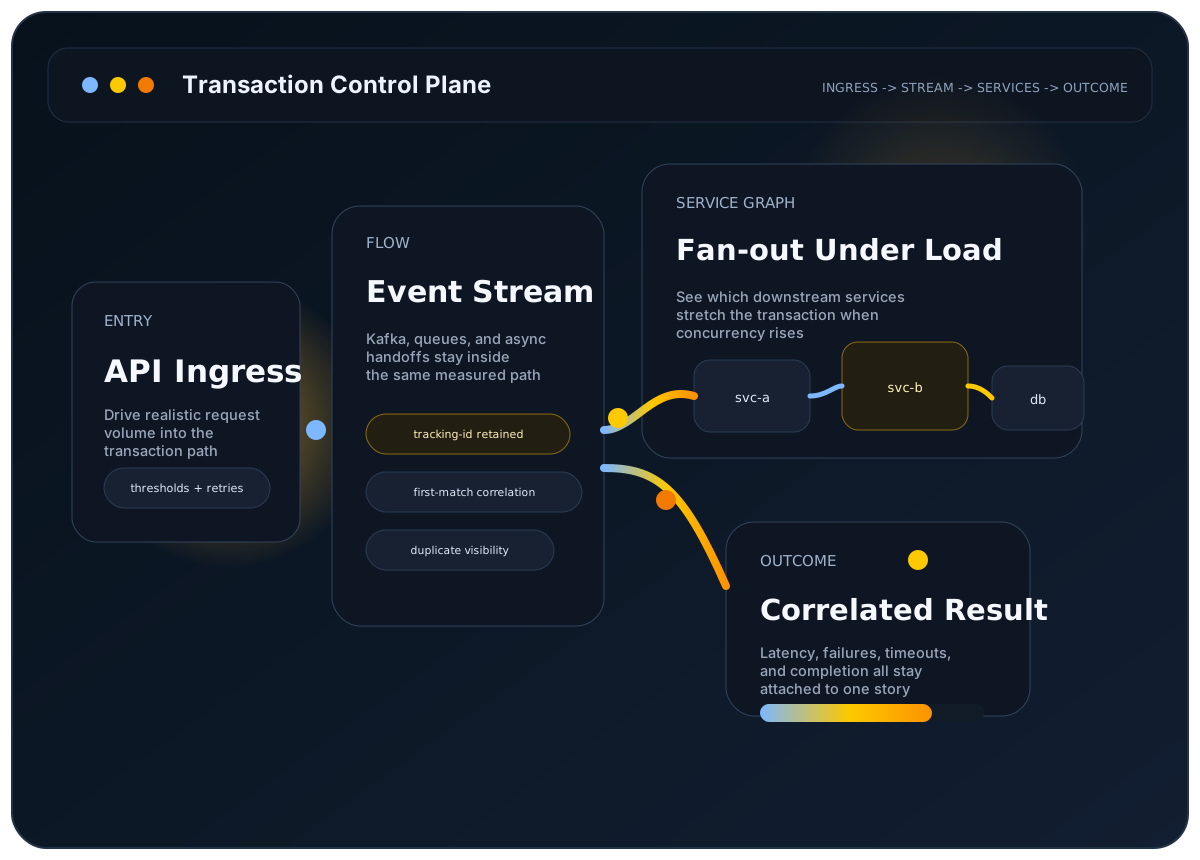
Microservices performance should be tested around the business workflow that crosses the service graph, not just around isolated service endpoints. The important question is whether the path through the relevant services still completed on time and correctly under load.
LoadStrike is designed for that transaction view. It can keep APIs, queues or streams, browser actions, and downstream services in one self-hosted runtime so teams can inspect the full workflow instead of stitching per-service evidence later.
The user problem
A single endpoint looks healthy, but the real workflow crosses several services before the user or downstream system sees completion.
Why it matters
Retries, fan-out work, and asynchronous dependencies often introduce the latency or failure that matters most, and those issues rarely appear in one service-level graph alone.
Best-fit workloads
Where this workload usually needs transaction visibility
Service graphs with fan-out
Track one ingress action across the internal calls and side effects it triggers.
Mixed sync and async paths
Keep APIs, queues, and downstream processors inside the same scenario.
Shared platform services
Use grouped correlation to spot uneven outcomes by tenant, region, or service branch.
Who this is for
Platform, service, QA, and performance teams working on service graphs where completion depends on multiple internal systems participating in one transaction.
Why endpoint-only testing breaks down here
Per-endpoint tests rarely show where the overall workflow slowed first when latency is introduced by fan-out, asynchronous work, retries, or downstream service dependencies that appear after the first edge call.
How LoadStrike fits
LoadStrike keeps the transaction intact across service boundaries, uses grouped reporting and correlation to surface uneven outcomes, and supports clustered execution when microservices programs need broader self-hosted coverage.
What to expect
Verified LoadStrike fit points
- Models one workflow across multiple services instead of only one ingress endpoint.
- Supports mixed synchronous and asynchronous stages in the same scenario.
- Exposes grouped and failed-row diagnostics inside the final run artifact.
- Keeps scenario behavior aligned across C#, Go, Java, Python, TypeScript, and JavaScript SDKs.
Resources
Docs and examples
These docs are the fastest way to map a microservices workflow into the public LoadStrike model.
Define the service graph as one workflow first.
Build a minimal request-step scenario before expanding to a larger service path.
See how service-path failures surface in the run artifact.
Review the clustered execution model for larger service programs.
Common questions
Common questions
Why is microservices load testing hard to reduce to single endpoints?
Because many user-visible outcomes depend on more than one service participating in the transaction. A fast ingress endpoint does not prove the service graph stayed healthy end to end under load.
Can LoadStrike include queues or streams inside a microservices scenario?
Yes. The site documents APIs, queues, streams, browser journeys, and downstream services as part of the same transaction-aware workflow model.
What should a microservices team read after this page?
Start with the transaction concept, quick start, reports overview, and distributed load testing pages so the workflow model, first scenario, diagnostics, and cluster options are all clear before rollout expands.
Related
Related documentation
Start with the implementation details that match this page.
A transaction in LoadStrike is the full workflow you care about, not just one request. Read this page first if your workload crosses systems.
Build one basic request-step scenario around GET /orders/{id}, run it, and confirm the report before moving into correlation-specific features.
This page explains how to read a LoadStrike report. Use it when you want to know what each section means and where to look first.
Related
Related comparisons
Use these comparison pages if you still need a tool-level decision.
Compare LoadStrike and Gatling by supported languages, protocol scenarios, deployment requirements and correlated completion reports.
Compare LoadStrike and Apache JMeter for async completion, JMS, browser execution, reports and self-hosted testing, including setup and licensing requirements.
Related
Related integrations
Connect the run output to the observability backend your team already uses.
See how the LoadStrike OTEL Collector sink fits into OpenTelemetry-oriented reporting workflows.
See how the LoadStrike TimescaleDB sink fits into transaction-aware reporting workflows and public Grafana starter assets.
Related
Next steps
Keep moving with the most relevant follow-up pages.
See the broader full-workflow page.
Drill into the async half of many microservices systems.
Connect run data to an existing observability pipeline.
Next step
Next step
Define the cross-service transaction, then add cluster or reporting docs if needed.