LoadStrike /End-to-end load testing
See how LoadStrike approaches end-to-end load testing across APIs, browser journeys, queues or streams, and downstream services.
Direct answer
What counts as end-to-end load testing?
End-to-end load testing measures the full workflow a user or business process depends on, from the initiating action through every important system handoff to the final observable outcome. It is broader than testing one endpoint or one protocol layer in isolation.
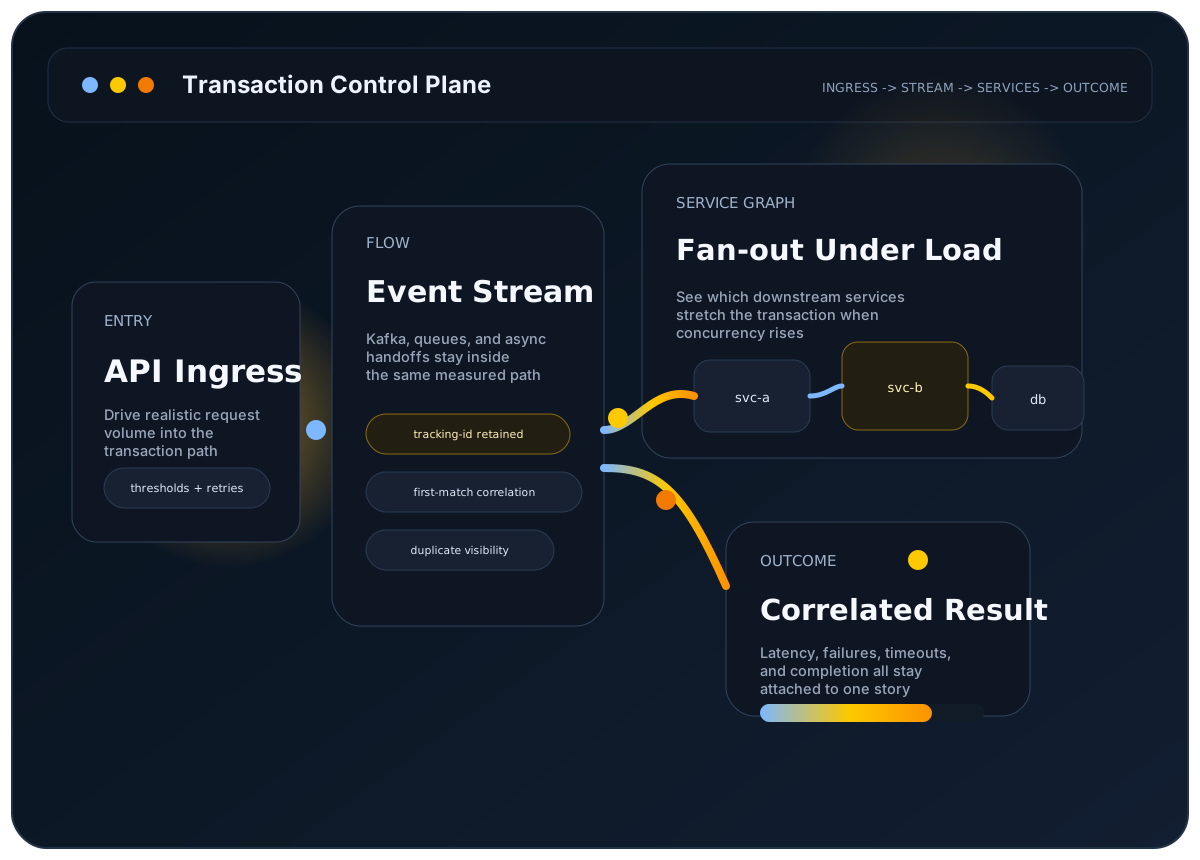
LoadStrike is built around that full-path definition. It keeps APIs, browser journeys, queues or streams, and downstream services in the same scenario so the result explains whether the whole workflow held together under load.
The user problem
You need one run to answer whether the whole user or business path stayed complete across every important handoff.
Why it matters
A healthy API layer or browser step does not prove the overall workflow succeeded if the delay or failure happens later in the chain.
Best-fit workloads
Where this workload usually needs transaction visibility
Customer journey plus backend completion
Measure the path from the initiating action to the final confirmation event.
API, stream, and service workflows
Keep the full system path visible instead of splitting it into isolated tests.
Workflow-level SLO checks
Use one report to judge whether the complete path stayed inside the target threshold.
Who this is for
Teams that need one run to answer whether a customer journey or business path stayed complete across the systems involved.
Why endpoint-only testing breaks down here
Layer-specific testing can look healthy while the full path still fails because the delay or failure starts later in the workflow. End-to-end validation has to keep those boundaries connected in the same measurement story.
How LoadStrike fits
LoadStrike uses a code-first scenario model, public SDK support for C#, Go, Java, Python, TypeScript, and JavaScript, browser/runtime support with Playwright and Selenium, and cross-system correlation so the whole path stays explicit in one self-hosted runtime.
What to expect
Verified LoadStrike fit points
- Combines APIs, browser steps, queues or streams, and downstream services in one transaction.
- Keeps thresholding and diagnostics attached to the same full-path scenario.
- Supports report formats engineers can review locally or export to other systems.
- Fits self-hosted teams that need full-workflow visibility without handing the run to a separate cloud service.
Resources
Docs and examples
Use these entry points when the performance question is really about the full workflow.
Start with one runnable request-step path.
Bring browser steps into the same scenario.
See where end-to-end failures show up after the run.
Read a longer walkthrough of end-to-end browser-aware design.
Common questions
Common questions
Is end-to-end load testing only about the browser?
No. The browser can be part of the path, but end-to-end load testing is really about the full workflow from the initiating action through the downstream systems that prove completion.
Can LoadStrike keep an API and browser path in the same run?
Yes. The site documents browser/runtime support with Playwright and Selenium alongside APIs, queues, streams, and downstream services inside the same transaction-aware model.
What is the best next page after this one?
The quick start is the best next stop because it shows the smallest useful request-step workflow before you expand into browser, reporting, and transport-specific detail.
Related
Related documentation
Start with the implementation details that match this page.
Build one basic request-step scenario around GET /orders/{id}, run it, and confirm the report before moving into correlation-specific features.
Use this guide when Playwright browser journeys should run inside the same LoadStrike scenario and reporting model.
This page explains how to read a LoadStrike report. Use it when you want to know what each section means and where to look first.
Related
Related comparisons
Use these comparison pages if you still need a tool-level decision.
Compare LoadStrike and k6 for APIs, Kafka, browser tests and async completion, including correlation requirements, extensions and hosting tradeoffs.
Compare LoadStrike and Apache JMeter for async completion, JMS, browser execution, reports and self-hosted testing, including setup and licensing requirements.
Related
Related integrations
Connect the run output to the observability backend your team already uses.
See how the LoadStrike Datadog sink fits into transaction-aware, self-hosted load testing workflows.
See how the LoadStrike OTEL Collector sink fits into OpenTelemetry-oriented reporting workflows.
Related
Next steps
Keep moving with the most relevant follow-up pages.
See the core concept behind end-to-end validation.
Focus on the browser side of the workflow when that matters most.
Open the docs and sample-reference entry points that help teams start with full workflows.
Next step
Next step
Run one complete workflow first, then use the reporting and browser docs to decide which stages deserve explicit steps and thresholds.