LoadStrike /Event-driven load testing
Load test Kafka, RabbitMQ, AWS SQS, NATS, Redis Streams and Azure Event Hubs with LoadStrike. Correlate messages with downstream workflow completion.
Direct answer
What does event-driven load testing require?
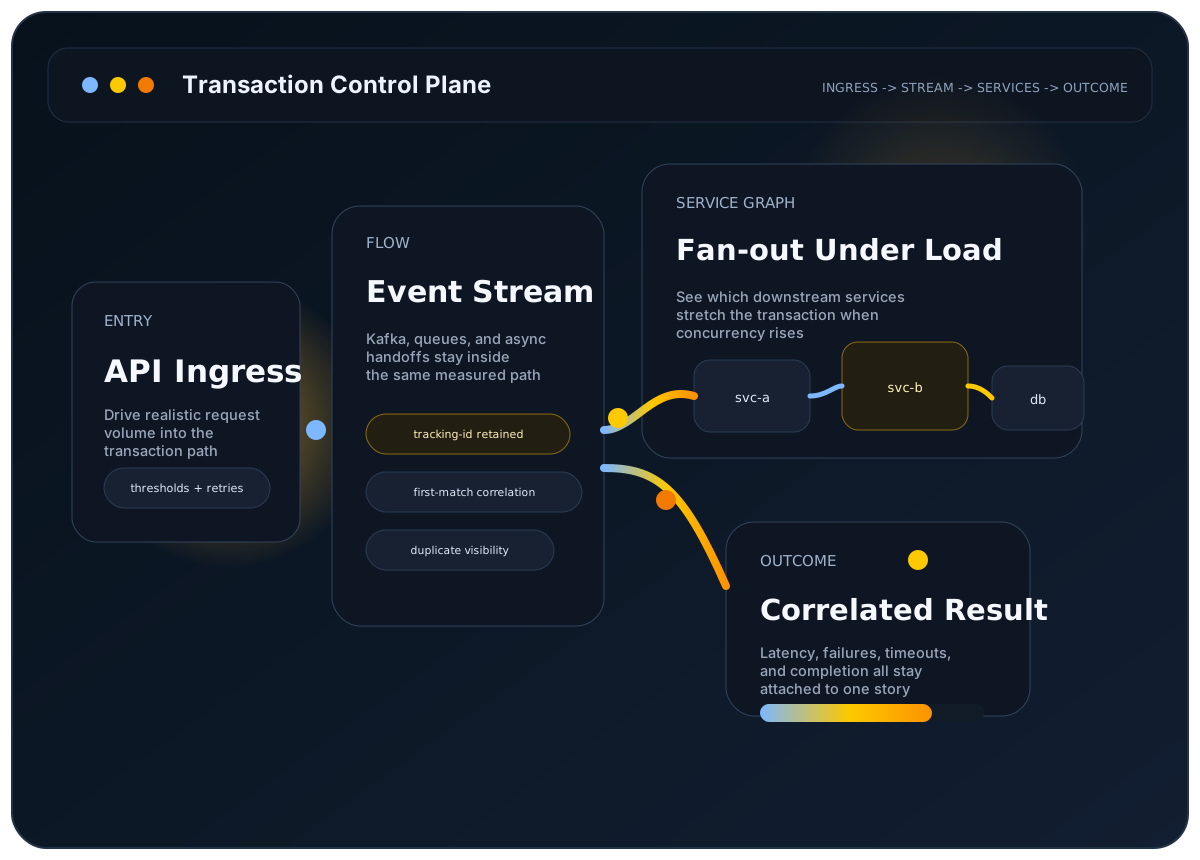
Event-driven load testing has to measure whether the downstream work completed, not only whether the source request or published message was accepted. That means tracking a workflow across queues or streams, timeout windows, duplicates, and the service stages that make the final outcome visible.
LoadStrike is built for that shape of workload. It keeps source and destination endpoints in one scenario, correlates the events that belong together, and reports how the full transaction behaved under sustained load.
The user problem
The workflow finishes after the first request or published message, so request timing alone does not tell you whether the system kept up.
Why it matters
Late consumers, duplicates, and timeout windows are usually what break the business outcome in async systems, and those issues live downstream of the first hop.
Best-fit workloads
Where this workload usually needs transaction visibility
Queue-backed order pipelines
Measure whether the order still completes after it leaves the ingress API.
Fan-out enrichment flows
Track background workers and downstream services that shape the final result.
Event-stream notifications
See whether publish, consume, and final confirmation all stay inside the target window.
Who this is for
Teams testing async pipelines, queue-backed services, and stream-driven systems where user-visible completion happens after the initial edge call.
Why endpoint-only testing breaks down here
Request-only metrics do not explain late arrivals, duplicate completions, or consumer lag that appears after the message leaves the first producer. Those are often the failures that actually matter in event-driven systems.
How LoadStrike fits
LoadStrike supports HTTP, Kafka, RabbitMQ, AWS SQS, Azure Event Hubs, NATS, Redis Streams, Push Diffusion, and delegate-based custom stream endpoints. Configure source and destination selectors for the same tracking value, an observable completion event and a timeout. The selected SDK, runner key and plan must cover the endpoints and execution mode.
What to expect
Verified LoadStrike fit points
- One scenario can include the source action and the downstream event that proves completion.
- Grouped correlation helps teams inspect outcomes by tenant, branch, region, or another field.
- Timeout and duplicate behavior stay visible in the final run artifacts.
- Self-hosted execution uses the selected SDK and plan; the updated Go SDK supports separate NATS agents when a compatible runtime is installed.
Resources
Docs and examples
Start with the protocol and endpoint pages that already document the event-driven parts of the product surface.
Frame Kafka as part of the workflow instead of as an isolated producer benchmark.
See the endpoint-specific configuration surface for Kafka.
Define the event path as a business transaction first.
Read a longer guide to selector and timeout design.
Resources
Choose the queue or event stream you use
The six broker adapters support messaging load testing with your selected SDK on Pro or Enterprise. Broker acceptance and workflow completion are different measurements. Configure the client, source or destination mode, and tracking payload before interpreting correlated latency, duplicate or timeout outcomes. Push Diffusion and custom streams use customer-provided delegates.
Configure topics and producer or consumer endpoints, then match the completion event using a shared tracking value.
Configure the broker and queue endpoints to follow a message from its source to the downstream completion payload.
Choose the NATS endpoint and subject settings, and expose the same tracking value on the observed destination.
Use the stream endpoint settings and tracking selectors to measure completion beyond an accepted source write.
Configure the SQS queue and supported endpoint mode, then verify the completion signal and timeout window.
Check Event Hubs client and endpoint configuration before correlating source traffic with downstream results.
Supply the publish and subscribe delegates, preserve a shared business identifier, and observe completion under load.
Bring your own transport client through send and receive delegates when a built-in broker adapter does not fit.
Common questions
Common questions
Why is event-driven load testing hard to read from request metrics alone?
Because the workflow often finishes after the first request has already returned. Problems such as backlog growth, consumer slowdowns, late completion, and duplicates appear downstream and need transaction-level correlation to stay visible.
Which message brokers and event streams can LoadStrike load test?
Built-in adapters cover Kafka, RabbitMQ, AWS SQS, NATS, Redis Streams and Azure Event Hubs. Push Diffusion and custom stream endpoints use customer-provided delegates. These endpoints require Pro or Enterprise and a valid runner key; check SDK client dependencies and execution limits before a run.
Can event-driven tests still produce standard run artifacts?
Yes. LoadStrike still produces the same HTML, CSV, TXT, and Markdown report formats while keeping event-driven correlation data and grouped summaries inside the run artifact.
Related
Related documentation
Start with the implementation details that match this page.
Use this guide when Kafka is part of the business transaction and you need to measure the downstream path, not just publish speed.
Configure Kafka load and performance testing with LoadStrike: publish and consume records, preserve tracking IDs, and observe downstream completion.
A transaction in LoadStrike is the full workflow you care about, not just one request. Read this page first if your workload crosses systems.
Related
Related comparisons
Use these comparison pages if you still need a tool-level decision.
Compare LoadStrike and k6 for APIs, Kafka, browser tests and async completion, including correlation requirements, extensions and hosting tradeoffs.
Compare LoadStrike and Gatling by supported languages, protocol scenarios, deployment requirements and correlated completion reports.
Related
Related integrations
Connect the run output to the observability backend your team already uses.
See how the LoadStrike Datadog sink fits into transaction-aware, self-hosted load testing workflows.
See how the LoadStrike Grafana Loki sink fits into transaction-aware reporting and public Grafana starter assets.
See how the LoadStrike OTEL Collector sink fits into OpenTelemetry-oriented reporting workflows.
Related
Next steps
Keep moving with the most relevant follow-up pages.
Go deeper on Kafka-specific workload design.
See how clustered execution fits queue-heavy systems.
Push run data into a backend many event-driven teams already use.
Next step
Next step
Choose the broker or stream endpoint you use, then configure tracking from the source to the event that proves completion.