LoadStrike /Kafka load testing
Learn how LoadStrike models Kafka load testing around end-to-end business latency, not only producer-side throughput.
Direct answer
How should Kafka load be measured?
Kafka load should be measured around the business workflow built on the broker, not around producer throughput alone. A useful test needs to show whether the downstream consumer path still completed on time and without duplicate or timeout problems under pressure.
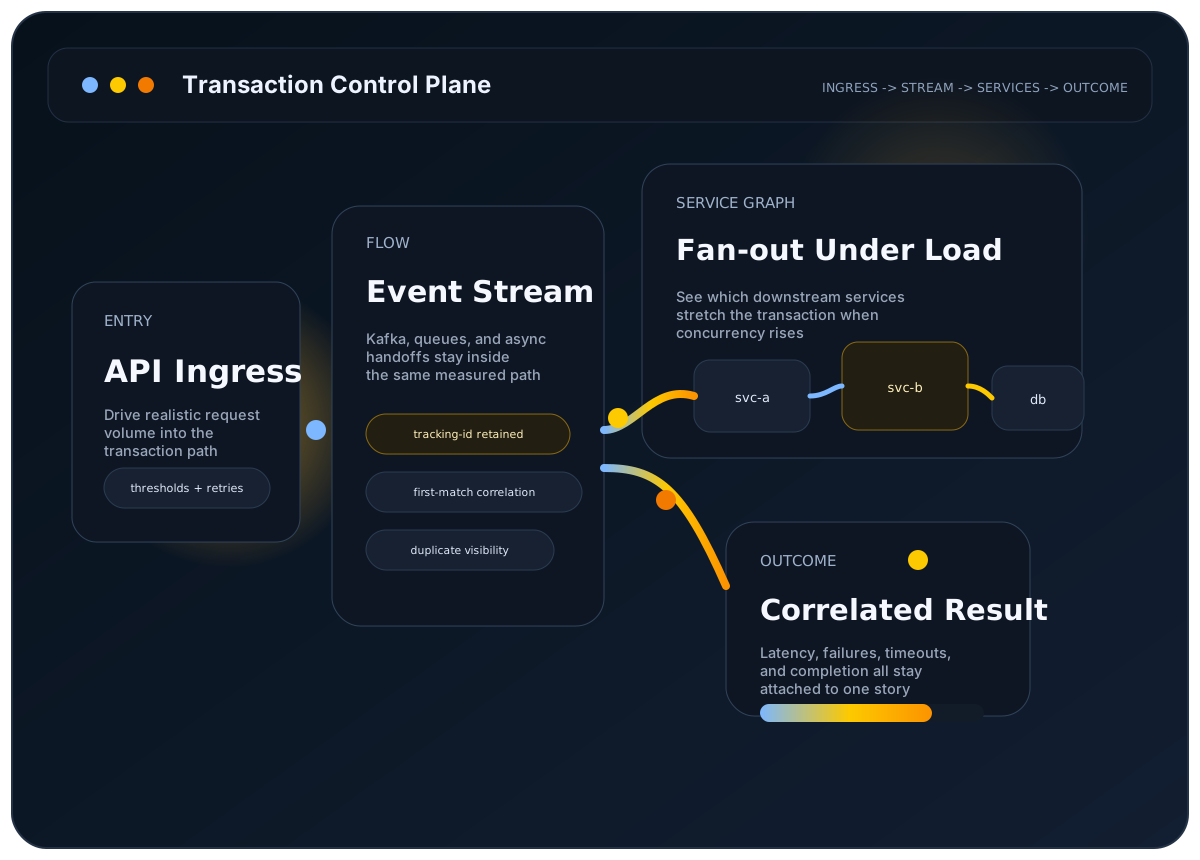
LoadStrike frames Kafka that way. It can treat Kafka as a source or destination endpoint in the same scenario and report the completion path through one correlated run artifact instead of leaving the diagnosis to external stitching.
The user problem
Producer throughput looks healthy, but you still do not know whether the consumer path completed on time and without errors.
Why it matters
Kafka-heavy systems often fail in the downstream stages: consumer lag, enrichment delay, retries, and slow side effects can all hide behind fast publish metrics.
Best-fit workloads
Where this workload usually needs transaction visibility
Order and fulfillment topics
Follow the message from publish to the downstream service that confirms completion.
Outbox and event-sourcing flows
Measure whether producer success still leads to the expected consumer-side outcome.
Shared Kafka infrastructure
Use grouped reporting to see whether tenant or branch-level outcomes drift under load.
Who this is for
Teams whose workflows publish into Kafka and need to understand downstream completion latency, grouping, and correctness under load.
Why endpoint-only testing breaks down here
Producer acceptance can stay fast while consumer groups, enrichment stages, side-effect processors, or downstream services fall behind. Request-style throughput charts rarely explain that operational gap by themselves.
How LoadStrike fits
LoadStrike publishes a Kafka protocol guide, a Kafka endpoint guide, and a dedicated blog article on Kafka for end-to-end business latency, all grounded in the same transaction-aware runtime model.
What to expect
Verified LoadStrike fit points
- Kafka can participate as a producer or consumer endpoint in the workflow.
- Correlation keeps Kafka events tied to the source action that started the transaction.
- Grouped reporting helps teams see uneven outcomes inside shared Kafka infrastructure.
- Run artifacts stay consistent with the rest of the reporting surface.
Resources
Docs and examples
Use these public pages when the workload depends on Kafka as part of the business transaction.
Learn how LoadStrike frames Kafka-heavy workflows.
Review the Kafka-specific endpoint options.
Read the longer article on Kafka throughput versus business completion.
Follow the endpoint, tracking, observer-group and smoke-run recipe before adding load.
Review matched outcomes, timeouts, duplicates and consumer lag alongside throughput.
See where Kafka correlation results show up after the run.
Common questions
Common questions
Does LoadStrike document Kafka support?
Yes. The site includes both a Kafka protocol guide and a Kafka endpoint guide, along with article content focused on Kafka for end-to-end business latency.
Can a Kafka workflow still be part of a larger transaction?
Yes. Kafka can be one stage of a transaction that also includes APIs, browser steps, or downstream services, as long as the workflow is modeled explicitly inside the scenario.
What should I read after this page?
Open the Kafka protocol guide, the Kafka endpoint guide, and the reports overview so you can move from workload framing into endpoint configuration and then into the final diagnostic surface.
Related
Related documentation
Start with the implementation details that match this page.
Use this guide when Kafka is part of the business transaction and you need to measure the downstream path, not just publish speed.
Configure Kafka load and performance testing with LoadStrike: publish and consume records, preserve tracking IDs, and observe downstream completion.
This page explains how to read a LoadStrike report. Use it when you want to know what each section means and where to look first.
Related
Related comparisons
Use these comparison pages if you still need a tool-level decision.
Compare LoadStrike and k6 for APIs, Kafka, browser tests and async completion, including correlation requirements, extensions and hosting tradeoffs.
Compare LoadStrike and Apache JMeter for async completion, JMS, browser execution, reports and self-hosted testing, including setup and licensing requirements.
Related
Related integrations
Connect the run output to the observability backend your team already uses.
See how the LoadStrike Grafana Loki sink fits into transaction-aware reporting and public Grafana starter assets.
See how the LoadStrike OTEL Collector sink fits into OpenTelemetry-oriented reporting workflows.
Related
Next steps
Keep moving with the most relevant follow-up pages.
Step back to the broader async testing model.
Review coordinator and agent execution for larger Kafka programs.
See one of the public observability paths for Kafka-heavy runs.
Next step
Next step
Open the Kafka guides, then check publish, consume, timeout, and grouping in the report.