
Short answer
API performance testing is essential for ensuring your APIs run efficiently. LoadStrike offers a streamlined approach, enabling teams to easily create HTTP scenarios and expand into advanced transaction monitoring.
Discover how to harness LoadStrike for effective API performance testing, from HTTP scenarios to advanced transaction checks.
Discover how to harness LoadStrike for effective API performance testing, from HTTP scenarios to advanced transaction checks.
API performance testing is essential for ensuring your APIs run efficiently. LoadStrike offers a streamlined approach, enabling teams to easily create HTTP scenarios and expand into advanced transaction monitoring.
Read this article as you begin exploring API performance testing with LoadStrike and look to create effective testing scenarios and reports.
Start with the article for context, then move into the linked docs and category pages for the concrete runtime, protocol, or reporting setup.
API performance testing is critical in today’s technology landscape, where the efficiency of an application relies heavily on how well its APIs perform. LoadStrike is a code-first load testing and performance testing tool that provides a comprehensive solution for API teams looking to validate their services effectively. This article will guide you through starting API performance testing using LoadStrike, focusing on HTTP scenarios, defining thresholds, generating reports, and eventually expanding to downstream transaction checks.
### Getting Started with HTTP Scenarios
To initiate your journey in API performance testing, begin by creating simple HTTP scenarios. LoadStrike allows teams to define a test script that models the API endpoints you want to evaluate. You can build scenarios using various supported SDK languages, including C#, Go, Java, Python, TypeScript, and JavaScript. Each scenario can include steps that simulate user interactions with your APIs, which is essential for replicating real-world usage conditions. For instance, if you are testing a REST API for an e-commerce application, your HTTP scenario could involve GET requests to retrieve product data before executing POST requests to submit orders. This approach sets a firm foundation for performance testing and allows you to establish a baseline for your APIs' responsiveness and stability. You can find more detailed information about creating scenarios in the [Scenario documentation](/docs/library-options/scenario). Furthermore, LoadStrike's [Quick Start](/docs/getting-started/quick-start) guide can help you set up your first API scenario and report in just a few minutes, making it accessible even for beginners.
Once you have your HTTP scenarios set up, the next step is to define performance thresholds. These thresholds are crucial as they help you measure your APIs' performance against your expectations. LoadStrike enables you to set these thresholds based on various metrics, such as response times and error rates. For example, if your SLA states that an API endpoint must respond within 500 milliseconds 95% of the time, you can configure LoadStrike to alert you if this threshold is breached during testing. This proactive approach helps in identifying potential bottlenecks before they affect your users.
Furthermore, optimal threshold settings are critical not just for performance but also for ensuring a positive user experience. For instance, if your API experiences heavy traffic during peak hours, it's vital to ensure it can handle the load without degrading performance. Using LoadStrike’s performance testing software, you can simulate user loads to evaluate how well your API performs under different conditions.
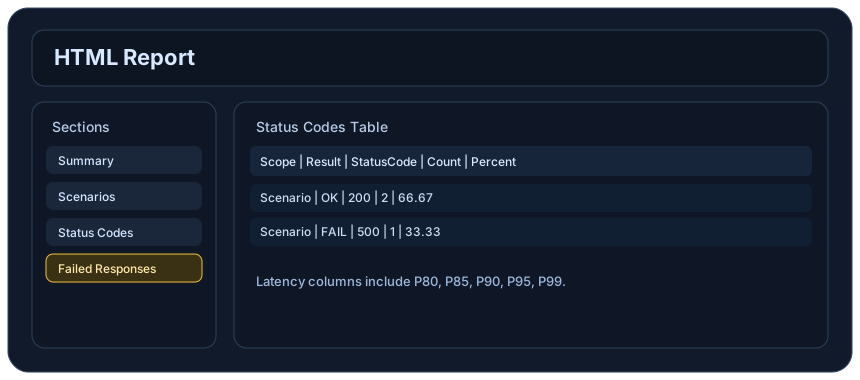
Once you have established your HTTP scenarios and thresholds, you will want to analyze the performance data collected during testing. LoadStrike provides comprehensive reporting capabilities that allow you to visualize performance metrics, making it easier to identify trends, spot issues, and recognize areas of improvement.
These reports are not just statistics; they are actionable insights. They can reveal whether your performance objectives are being met or if further optimization is necessary. For instance, if you notice consistent delays in API response times, this could indicate that some refactoring is needed or that your servers need scaling up. In LoadStrike, reports can be tailored to display only the most relevant data, helping you and your team to stay focused on key performance indicators.
After mastering HTTP scenarios and performance reporting, the next step is to broaden your testing scope to include downstream transaction checks. This involves testing how various API calls interact and depend on one another, especially in applications where multiple APIs work together to complete a single user transaction.
With LoadStrike, you can create complex testing scenarios that simulate user journeys through your APIs, from authentication to final data retrieval. This is particularly useful in microservices architectures, where multiple services must communicate seamlessly to provide a cohesive experience. You will be able to identify any failures not just on individual endpoints but across these sprawling chains of interactions, which is vital for maintaining robust application performance.
API performance testing has versatile applications across different domains. Companies can leverage LoadStrike’s capabilities for numerous scenarios, such as:
1. E-commerce Platforms: Ensuring that all API calls related to product searches, user authentication, and checkout processes are performing optimally during high-traffic sale events.
Use these proof assets to verify report output, examples, and methodology before turning the article into a scenario.
Review the HTML reports, CSV, TXT, Markdown, metrics, and report artifacts available after a run.
See how public benchmark evidence should be scoped before results are published.
Start from the examples hub before mapping the article topic into a runnable scenario.
These links keep the article connected to the docs, category pages, and comparisons that help engineers act on the topic.
Create the first API scenario and report.
Browse practical LoadStrike examples.
Review the scenario and step model.
Follow the official LoadStrike activity connected to product updates and performance testing guidance.
Follow the official LoadStrike LinkedIn activity for product updates, engineering notes, and related performance testing posts.
These answers stay on the page so readers can scan the practical questions that usually come next.
API performance testing is essential to ensure that APIs meet performance benchmarks, maintain quick response times, and provide a seamless user experience. This is particularly crucial in production environments where any delays can significantly affect user satisfaction and business outcomes.
LoadStrike serves as a robust load testing software, enabling teams to simulate various user loads on their APIs, gather performance metrics, and generate actionable reports that help in identifying potential performance bottlenecks.
Yes, LoadStrike supports REST API load testing. You can create scenarios that encapsulate all necessary API interactions to simulate realistic use cases and assess performance.
With LoadStrike, you can test a variety of scenarios including single API endpoint calls, multi-step transaction flows, and complex user journeys that involve multiple API calls. This flexibility helps you tailor your testing to fit your specific application needs.
LoadStrike supports several programming languages including C#, Go, Java, Python, TypeScript, and JavaScript, providing flexibility for development teams to integrate testing seamlessly into their workflows.
Go deeper with the docs, category pages, examples, and comparison guides connected to the distributed-system patterns discussed in this article.