
Short answer
Performance testing software is essential for ensuring applications meet speed and reliability standards. LoadStrike offers a code-first approach, allowing teams to integrate testing seamlessly into their development workflows.
Learn how performance testing software like LoadStrike fits into your team's workflow, source control, and reporting practices.
Learn how performance testing software like LoadStrike fits into your team's workflow, source control, and reporting practices.
Performance testing software is essential for ensuring applications meet speed and reliability standards. LoadStrike offers a code-first approach, allowing teams to integrate testing seamlessly into their development workflows.
Read this when considering how performance testing software integrates with team workflows, source control, and development practices.
Start with the article for context, then move into the linked docs and category pages for the concrete runtime, protocol, or reporting setup.
Performance testing software is pivotal for teams aiming to deliver high-quality, high-performing applications. By integrating a performance testing tool into your workflow, development, QA, and SRE teams can proactively identify performance bottlenecks and ensure applications can handle expected load.
LoadStrike is a code-first load testing and performance testing product that emphasizes continuous integration with existing workflows. It integrates smoothly with source control systems, making it easier for teams to adopt performance testing as part of their development process.
Understanding how performance testing software fits your team's workflow is critical. Many teams claim to prioritize performance, but unless they integrate testing early and often, they may encounter significant issues later in the development cycle. Load testing software should serve as an integral part of the development lifecycle, not just an afterthought when a product is nearing launch.
Integrating performance testing software into your team's daily activities can streamline processes and minimize delays caused by performance issues. It's crucial to involve performance testing early in the development cycle, ideally during the design and development phases.
By employing a load and performance testing tool that aligns with your team's culture and practices, you can set clear expectations and consistently monitor performance improvements.
Performance testing software like LoadStrike can be integrated with source control systems such as Git, enabling seamless collaboration among developers. Each code update can trigger automated load tests, providing immediate feedback to developers about the performance implications of their changes.
This fit in source control is particularly beneficial in hybrid development environments where teams may work in multiple languages and frameworks, including C#, Go, Java, Python, TypeScript, and JavaScript.
Selecting the appropriate SDK language for your performance testing tool is crucial. LoadStrike supports multiple SDKs, allowing developers to write tests in languages they are comfortable with. This flexibility ensures that performance testing becomes a natural extension of the development process.
For example, if your application is primarily built using Java and JavaScript, using LoadStrike's performance testing software in those languages will not only make writing tests easier but will also help developers understand the performance characteristics of their code.
Collecting evidence during performance tests is vital for justifying changes and tracking improvements over time. LoadStrike excels in providing comprehensive reporting features that allow teams to visualize test results clearly.
Teams must ensure that reports are not only detailed but also actionable. Effective performance testing tools should highlight areas that need attention and track progress over time.
Performance testing techniques can be applied across various scenarios, like API performance evaluations or transaction-focused testing for web applications. LoadStrike facilitates testing for APIs across different protocols, helping teams to ensure their applications respond quickly under various loads.
In browser workflows, for example, teams can simulate user interactions to identify performance bottlenecks in real client environments. Event stream performance testing is also crucial in modern applications where data flows must remain consistent without compromising user experience.
Use these proof assets to verify report output, examples, and methodology before turning the article into a scenario.
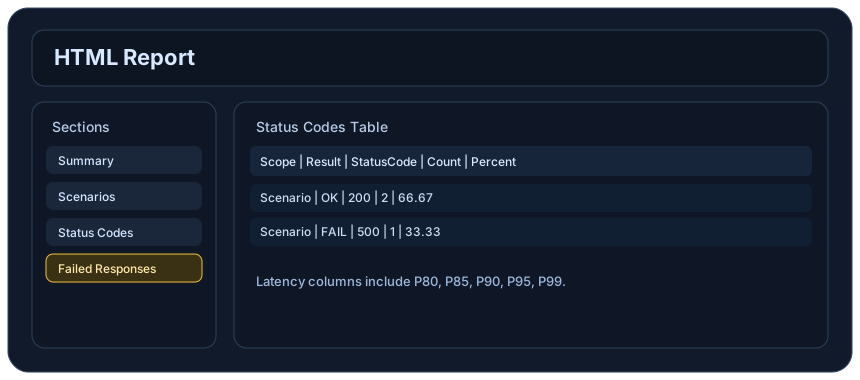
Review the HTML reports, CSV, TXT, Markdown, metrics, and report artifacts available after a run.
See how public benchmark evidence should be scoped before results are published.
Start from the examples hub before mapping the article topic into a runnable scenario.
These links keep the article connected to the docs, category pages, and comparisons that help engineers act on the topic.
Review team evaluation criteria.
Review code-first adoption.
Install the SDK for each supported language.
Follow the official LoadStrike activity connected to product updates and performance testing guidance.
Follow the official LoadStrike LinkedIn activity for product updates, engineering notes, and related performance testing posts.
These answers stay on the page so readers can scan the practical questions that usually come next.
LoadStrike allows developers to write performance tests using familiar SDK languages, enabling easy integration into the existing codebase. This approach ensures that performance validation is part of the ongoing development cycle.
Yes, LoadStrike can be integrated into CI/CD pipelines, allowing teams to automate performance testing after each code commit and providing immediate feedback on performance implications.
LoadStrike offers comprehensive reporting capabilities, allowing you to generate detailed reports showcasing performance metrics, which can help in identifying bottlenecks and tracking improvements over time.
LoadStrike supports multiple SDK languages, including C#, Go, Java, Python, TypeScript, and JavaScript, allowing teams to write performance tests in the languages they use.
Typical use cases include API performance testing, browser workflow simulations, event stream validation, and transaction-focused performance testing, ensuring comprehensive coverage of application performance.
Go deeper with the docs, category pages, examples, and comparison guides connected to the distributed-system patterns discussed in this article.