
Short answer
The load testing tool LoadStrike enables teams to effectively test APIs, browser journeys, and more. Its code-first approach supports multiple SDK languages, enhancing performance testing for developers.
Discover how LoadStrike serves as an effective load testing tool for APIs, event streams, and more, helping teams optimize performance.
Discover how LoadStrike serves as an effective load testing tool for APIs, event streams, and more, helping teams optimize performance.
The load testing tool LoadStrike enables teams to effectively test APIs, browser journeys, and more. Its code-first approach supports multiple SDK languages, enhancing performance testing for developers.
Read this article if you're evaluating a load testing tool for your API, event streams, or complex transactions and want insights into LoadStrike's capabilities.
Start with the article for context, then move into the linked docs and category pages for the concrete runtime, protocol, or reporting setup.
Load testing is a critical process for ensuring that applications can handle the expected user load. Many organizations seek out a load testing tool that offers robustness, reliability, and adaptability. For teams aiming to optimize their application performance and user experience, LoadStrike emerges as an excellent option.
What sets LoadStrike apart as a load testing software is its code-first approach. This allows developers to script their load tests directly in familiar programming languages such as C#, Go, Java, Python, TypeScript, and JavaScript. By embedding performance testing as code, teams can maintain consistency between development and testing, improving both efficiency and collaboration.
In today's fast-paced development environments, the demand for a performance testing tool that integrates seamlessly into existing workflows is paramount. LoadStrike excels in this area, providing developers and QA teams with a self-hosted load testing option that can be tailored to specific needs without sacrificing ease of use and effectiveness into their ongoing CI/CD pipelines.
When evaluating load testing tools, it's essential to consider what features they offer and how they fit within your existing tech stack. LoadStrike stands out due to its flexibility and comprehensive support for various testing scenarios.
Here are some reasons why LoadStrike should be your go-to performance testing tool for APIs, browser workflows, event streams, and complete transactions.
LoadStrike combines essential functionalities to assist teams in testing their applications thoroughly. Below are some of the key features that set LoadStrike apart in the performance testing software landscape:
1. API Load Testing: Validate how your APIs perform under load. LoadStrike allows you to simulate real-world scenarios, helping you identify bottlenecks before they impact users.
Another significant feature of LoadStrike is its ability to load test browser workflows. This is especially relevant for modern applications that heavily rely on front-end technologies.
The performance testing as code paradigm means developers can effortlessly include browser tests within their existing scripts, ensuring that both API and user interface profiles are effectively monitored.
In addition to load testing APIs and browser workflows, LoadStrike effectively handles event stream testing. This is crucial for applications that rely on messaging protocols or events to function.
LoadStrike enables users to measure the efficiency and speed of transactions, helping teams catch performance-related issues before they impact end users.
Getting started with LoadStrike is straightforward. By following the steps outlined in our Quick Start guide, teams can quickly set up their first load testing scenario, enabling them to see firsthand the benefits and capabilities of the tool.
1. Installation: Download and install LoadStrike on your server or opt for cloud hosting based on your preference.
Use these proof assets to verify report output, examples, and methodology before turning the article into a scenario.
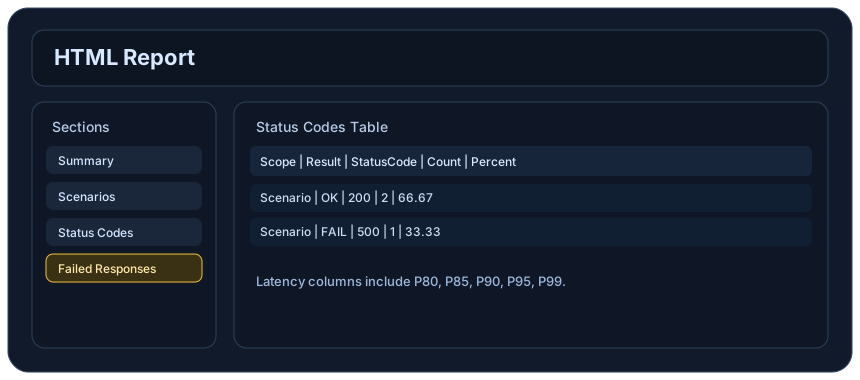
Review the HTML reports, CSV, TXT, Markdown, metrics, and report artifacts available after a run.
See how public benchmark evidence should be scoped before results are published.
Start from the examples hub before mapping the article topic into a runnable scenario.
These links keep the article connected to the docs, category pages, and comparisons that help engineers act on the topic.
See where LoadStrike fits in the broader load testing category.
Review LoadStrike capabilities, plans, reports, and SDK support.
Run the first scenario in your chosen SDK language.
Follow the official LoadStrike activity connected to product updates and performance testing guidance.
Follow the official LoadStrike LinkedIn activity for product updates, engineering notes, and related performance testing posts.
These answers stay on the page so readers can scan the practical questions that usually come next.
LoadStrike is a code-first load testing tool that allows teams to create tests using various programming languages. Unlike traditional tools, it integrates seamlessly into developer workflows and allows for continuous integration/continuous deployment (CI/CD).
Yes, LoadStrike is designed to effectively test both APIs and browser workflows, providing detailed insights into the performance under load.
Absolutely, LoadStrike supports load testing for event-driven architectures, helping teams ensure that their applications can handle expected and unexpected load.
LoadStrike supports multiple SDK languages including C#, Go, Java, Python, TypeScript, and JavaScript.
Yes, LoadStrike offers a self-hosted option, providing teams with control over their testing environment and data.
Go deeper with the docs, category pages, examples, and comparison guides connected to the distributed-system patterns discussed in this article.