
Short answer
An API load testing tool should help teams start with HTTP requests, then grow into transaction evidence, reports, thresholds, and SDK workflows. LoadStrike focuses on that code-first path.
Explore how the right API load testing tool can enhance your performance testing and API management strategy. Start with HTTP and expand your capabilities.
Explore how the right API load testing tool can enhance your performance testing and API management strategy. Start with HTTP and expand your capabilities.
An API load testing tool should help teams start with HTTP requests, then grow into transaction evidence, reports, thresholds, and SDK workflows. LoadStrike focuses on that code-first path.
Ideal for API teams looking to select an effective tool for load and performance testing, starting from HTTP requests and scaling as needed.
Start with the article for context, then move into the linked docs and category pages for the concrete runtime, protocol, or reporting setup.
In today's digital landscape, ensuring that your APIs perform under varying load conditions is paramount. The right api load testing tool can help teams gauge the robustness of their applications as they scale. Understanding how to choose an effective tool begins with acknowledging the spectrum of capabilities available, from simple HTTP requests to comprehensive transaction evidence analysis when downstream work matters.
### Understanding API Load Testing
API load testing is crucial for developers and engineers to ensure that their applications can handle peak traffic. Load testing measures how an API holds up under an expected load, helping to identify potential performance bottlenecks before they affect real users. When selecting an api load testing tool, consider how it fits into your current workflow and technical stack. An effective tool should support a range of languages and frameworks to align with your development environment. This is where LoadStrike shines as a code-first load testing software, supporting SDK languages such as C#, Go, Java, Python, TypeScript, and JavaScript.
Effective API load testing helps organizations anticipate how their applications will behave under load. It is crucial for delivering a reliable user experience, especially when APIs support critical functionalities in web and mobile applications.
Performance testing can range from basic stress testing scenarios to complex tests mimicking real-world conditions that involve multiple APIs and user transactions.
When evaluating an api load testing tool, there are several key features to look for:
1. Support for Various Protocols: Look for a tool that can handle HTTP, HTTPS, and other protocols related to your APIs. Use the [HTTP protocol guide](/docs/protocols/http) for detailed scenario setup insights.
LoadStrike stands out as a robust load and performance testing tool that enables teams to conduct thorough testing with ease. Its code-first approach allows developers to use familiar programming languages like Java, C#, and Python to create load testing scripts that integrate with their CI/CD pipelines.
This flexibility supports various use cases, from validating the performance of REST APIs to executing complex browser workflows that involve API calls. Understanding the importance of transaction-focused performance testing enables teams to capture critical information about their APIs' performance throughout the user journey.
To effectively start your journey into load testing, begin with simple HTTP load testing. Use LoadStrike's intuitive interface and documentation to create your first test script. Over time, you can expand your testing strategy to include complex scenarios involving multiple APIs and user workflows.
Using LoadStrike’s capabilities, you not only execute performance testing but also examine how transactions behave under heavy load, thereby enhancing your application's resilience.
Use these proof assets to verify report output, examples, and methodology before turning the article into a scenario.
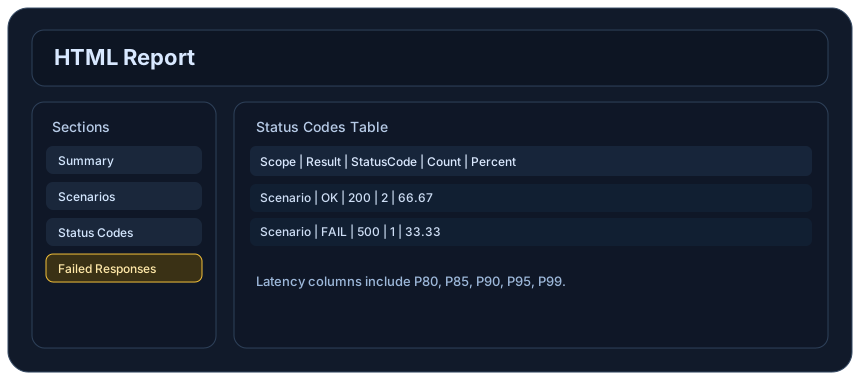
Review the HTML reports, CSV, TXT, Markdown, metrics, and report artifacts available after a run.
See how public benchmark evidence should be scoped before results are published.
Start from the examples hub before mapping the article topic into a runnable scenario.
These links keep the article connected to the docs, category pages, and comparisons that help engineers act on the topic.
Review the API load testing route.
Review HTTP scenario setup.
See the report outputs a run produces.
Follow the official LoadStrike activity connected to product updates and performance testing guidance.
Follow the official LoadStrike LinkedIn activity for product updates, engineering notes, and related performance testing posts.
These answers stay on the page so readers can scan the practical questions that usually come next.
Look for a tool that supports various protocols, has scalability options, provides transaction evidence, and generates comprehensive reports.
LoadStrike integrates seamlessly with popular development environments, allowing you to use C#, Go, Java, Python, TypeScript, or JavaScript to script tests.
Yes, LoadStrike allows for transaction-focused performance testing, enabling you to monitor how your API handles multiple transactions under load.
Yes, conducting load testing before launch helps identify potential performance pitfalls and ensures your API can handle expected traffic.
Absolutely, LoadStrike is designed to scale with your application, making it a flexible choice from early development to full production.
Go deeper with the docs, category pages, examples, and comparison guides connected to the distributed-system patterns discussed in this article.